
Starting a live stream does not require a perfect room or expensive equipment. It does require a workable connection, a clear format, basic privacy settings, moderation habits, and time to review what happened. This beginner guide focuses on a small first setup and a 30-day practice plan for creators in the Philippines.
Last updated: 20 August 2026. Check the current platform terms and official rules before acting.

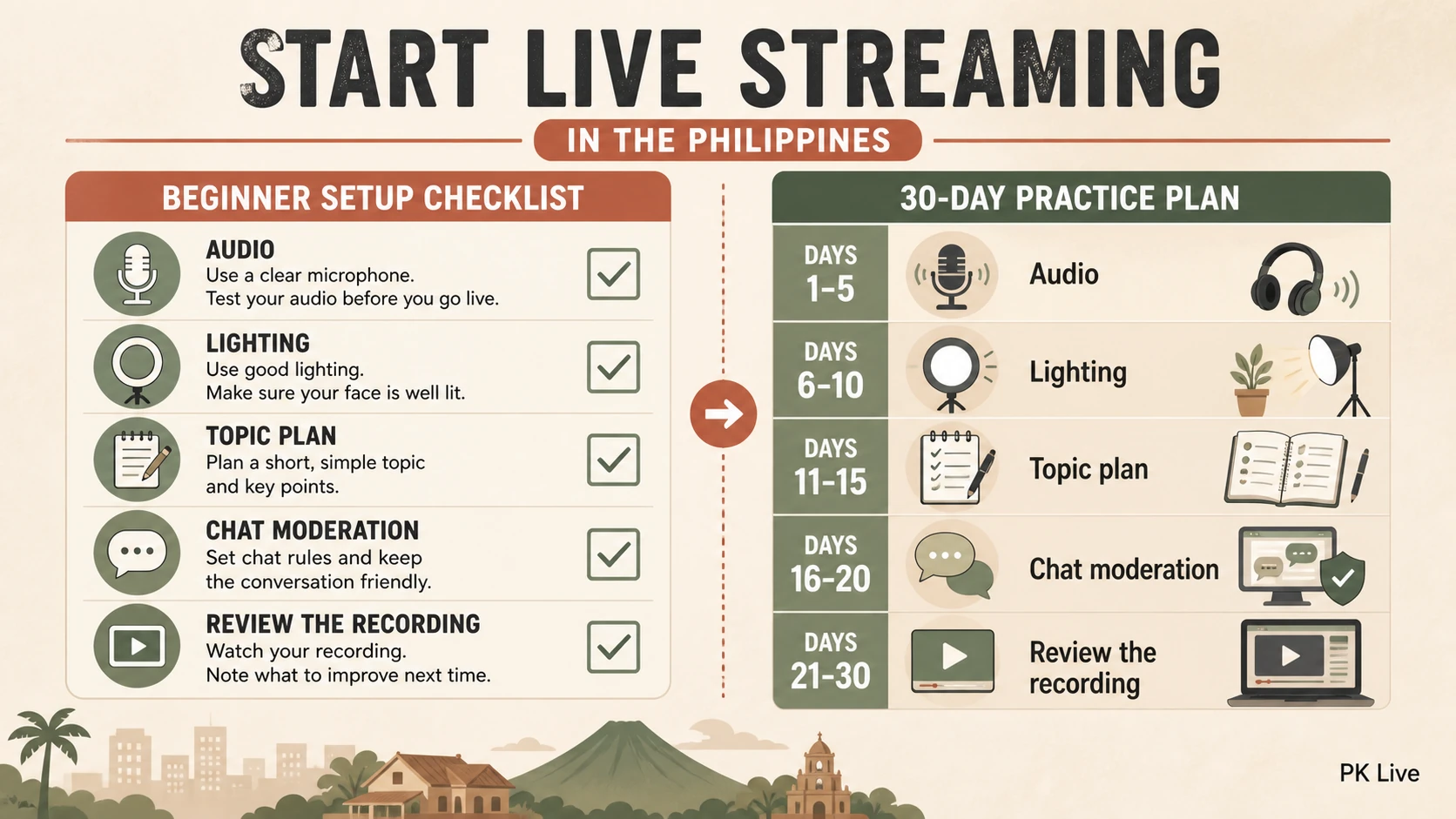
Minimum viable setup
| Item | Start with | Check before going live |
|---|---|---|
| Camera | Phone or webcam you already own | Framing, focus, background, and privacy |
| Audio | Built-in microphone or a basic headset | Voice clarity, echo, and notifications |
| Light | Window light or one stable lamp | Face visibility without glare |
| Connection | Reliable Wi-Fi or mobile data | Upload stability during a short private test |
| Run sheet | Three topics and a closing line | You know what happens if chat is quiet |
Before the first public stream
- Choose a topic and audience that you can serve without revealing private information.
- Check the platform’s current age, account, content, and monetization rules.
- Remove addresses, documents, notifications, and other sensitive details from the frame.
- Prepare a short welcome, a main segment, a moderation rule, and a clear closing.
- Run a private or unlisted test if the platform offers it. Check sound, picture, upload stability, and chat controls.
Simple content formats
- Teach one small skill and answer questions.
- Play or demonstrate a game while explaining the decisions on screen.
- Host a moderated interview with prepared questions.
- Run a short review or behind-the-scenes session.
- Invite viewers to suggest the next topic without promising a reward or outcome.
Safety and moderation
Set chat boundaries before the stream. Hide or block personal-information requests, threats, sexual harassment, scams, and attempts to move payment conversations into private channels. Ask guests for consent before recording or reusing clips. If a minor may appear, use appropriate adult supervision and follow the platform’s rules.
A 30-day practice plan
| Days | Practice goal |
|---|---|
| 1–7 | Test the room, audio, lighting, account settings, and a five-minute introduction. |
| 8–14 | Run two short streams with one topic and one moderation rule. Record technical issues. |
| 15–21 | Try one repeatable format, review questions and drop-off points, and adjust the run sheet. |
| 22–30 | Publish a realistic schedule, review costs and time, and decide whether the format is sustainable. |
The goal is a repeatable process, not a guaranteed audience or income. If monetization is a goal, read the income and cost guide before buying equipment or reducing other income.
Related setup guides
For account steps, use the PK Live registration guide and app guide. For YouTube and OBS workflows, see the YouTube Live guide.
Questions readers ask
Do I need a large following before I start?
No. Start with a clear format and a small testable routine. A following is not guaranteed, so make the process useful even when the audience is small.
How often should I stream?
Choose a schedule you can keep without harming sleep, work, study, or health. Consistency is a planning choice, not a promise of growth.
When should I buy better equipment?
After you can name the verified problem: poor audio, unstable upload, inadequate framing, or insufficient light. Solve one problem at a time.
Sources and limits
Updated 20 August 2026. Platform features, age rules, account requirements, and monetization terms can change. Check the live platform help pages before streaming. This is practical information, not a guarantee of viewers, income, or platform approval.
Continue with account registration | income and costs | YouTube Live setup.